Storage and backup for all your files
Brick is modern online storage that lets you sync files across devices, automatically upload photos and videos from your phone, safely back up your data and reach your files from anywhere, anytime.
Private by default but easy to share when you want to.
3 GB free · macOS, Windows, Linux, Android, WebDAV and MCP
Your browser is your file manager
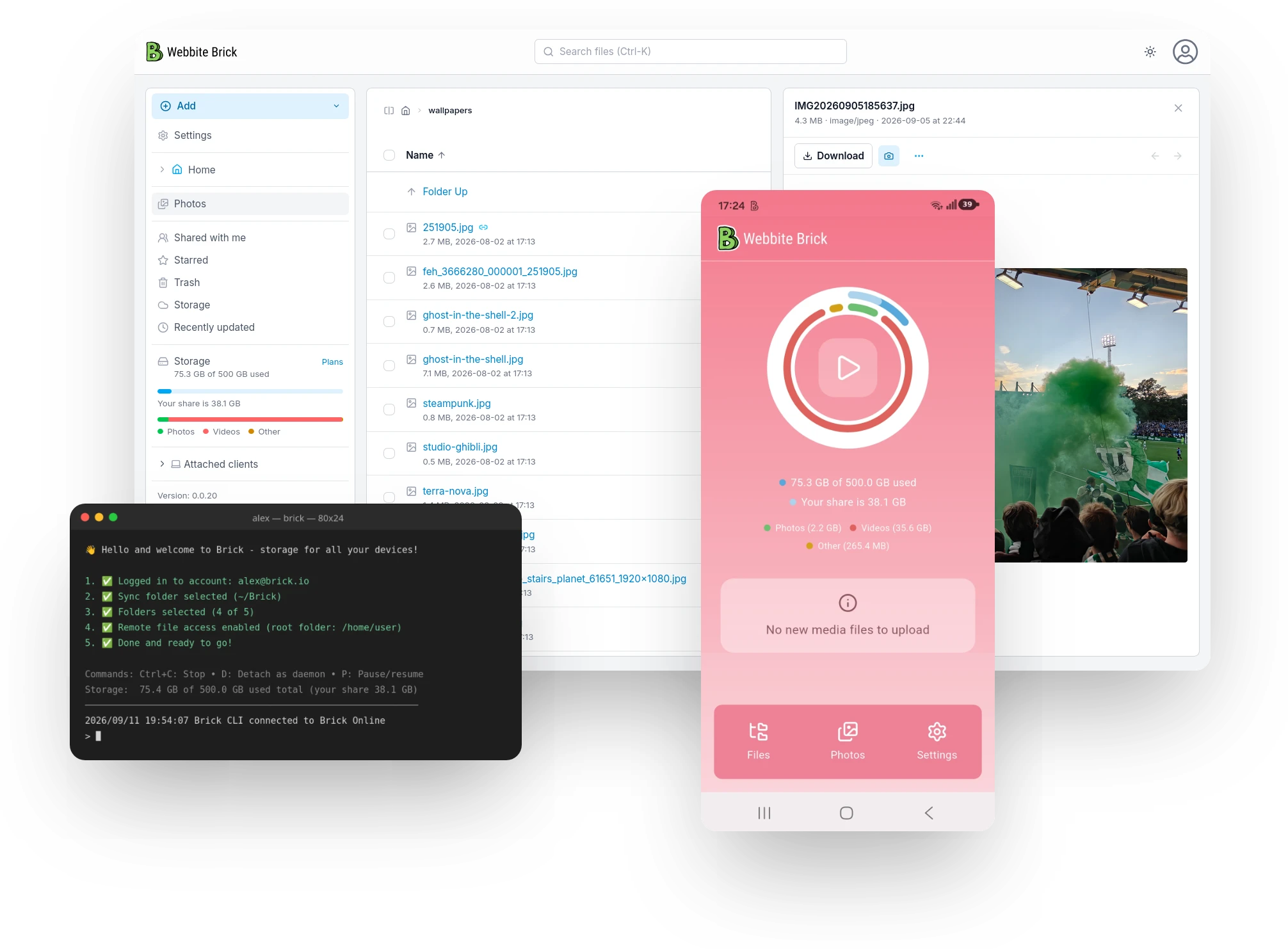
The Brick web app is a best-in-class file manager that supports everything you'd expect and more. Sign in from any machine and your whole library of files is there, with nothing to install.
- Drag-and-drop uploads
- Preview without downloading
- Advanced file permissions
- Built-in image editor
- Photo grid
- Version history
All snaps in one place!
Our Android app automatically uploads new photos and videos to Brick, so you can free up space on your phone while keeping your media easy to reach from any device. An iPhone app is coming soon.
Shots land in a photo grid you can scroll by month, and the originals are kept untouched — full resolution, full metadata.



 0:42
0:42 


 +312
+312 
Your storage is intelligent
Brick speaks MCP, so AI tools such as Claude, ChatGPT and Google Gemini can work with your storage directly. Edit a file by voice command, have an assistant file away your research as it reads, or let it sort a year of holiday snaps into albums while you do something else.
Every call it makes is logged, versioned and reversible — see versioning and restore below.
 Add on Claude's MCP Marketplace
 Put last week's shoot in an album and share it with Anna, view only.
Done — 41 photos are in Albums/Bergen shoot, shared with Anna. The link expires in 30 days.
Brick as a disk
Sometimes it's handy to treat your online storage like a good old attachable disk. Brick offers a WebDAV interface supported by Windows, macOS, Linux and most any other OS you can think of — no special software needed.
Point your file manager at the URL and the whole store appears as a normal volume: open files in place, save straight back, drag things in and out.
- 1 Copy your DAV URL Found in settings, with an app password you can rotate.
- 2 Connect to server ⌘K in Finder, "Map network drive" on Windows, davfs2 on Linux.
- 3 Work in place Edits save back over HTTPS. Locking keeps two editors apart.
Versioning and restore
Files are versioned automatically, so an accidental overwrite is a click away from being undone. Every save keeps its own copy, with who wrote it and when.
Sessions are logged too, for easy auditing and full-session recovery — handy when an LLM manages your files and you want to keep an extra eye on what is happening. Roll back one file, or put a whole session back the way it was.
Bonus functionality
Besides letting you sync and manage your files in most any way on most any device, Brick has a few more things up its sleeve.
A built-in editor for cropping, arrows and callouts — mark a screenshot up before you pass it on.
Take the shot, and it lands in Brick with a link already on your clipboard.
Point your phone at a receipt or a contract and get a cropped, straightened PDF.
Brick sits in the share sheet, so any app on the phone can send files straight into your store.
The list keeps growing. Tell us what would make Brick fit the way you work.
Put your first brick in place
Create an account, open it in the browser, add the app to your phone and desktop, and you're on the path to having all your data properly backed up and immediately accessible.